
How Do You Choose Ride-On Car Parental Controls?
Last Updated: October 25, 2026
Quick Summary
Ride-on car parental controls let you take the wheel instantly, adjust speed limits, and stop the vehicle in emergencies while your child learns to drive at their own pace. Choose a system with a 2.4GHz frequency for reliable performance, an emergency stop button, and multi-speed settings that match your child's age and development level.
- Most ride-on cars for ages 3-8 have weight limits between 44 and 66 pounds and require different control strategies based on age.
- Quality 2.4GHz remote systems offer 30-50 feet of reliable range with response times under 100 milliseconds for safe emergency stops.
- Emergency stop buttons cut power completely within one second, while speed limiters offer 2-3 settings from around 2 MPH to 4.5 MPH.
- Start with full parental control and gradually hand over steering, then speed, then full control as your child builds confidence and skills.
- VroomVroomToy models include emergency stop buttons, multi-speed remote control, and weight capacities up to 66 pounds for extended use.
Table of Contents
- Understanding Ride-On Car Parental Controls
- Ride-On Car Age and Weight Limits: Matching Control to Development
- Remote Control Range and Response: What You Need to Know
- Emergency Stop and Ride-On Car Speed Limiter Features
- Essential Ride-On Car Safety Features for Parental Peace of Mind
- How Parental Controls Adapt as Your Child Grows
- Troubleshooting Remote Control Issues and Compatibility
- Finding Your Child's Perfect Ride-On Car
- Frequently Asked Questions
Understanding Ride-On Car Parental Controls
Parental remote controls transform a ride-on car from a child's independent toy into a shared experience where you maintain safety without stealing the fun.
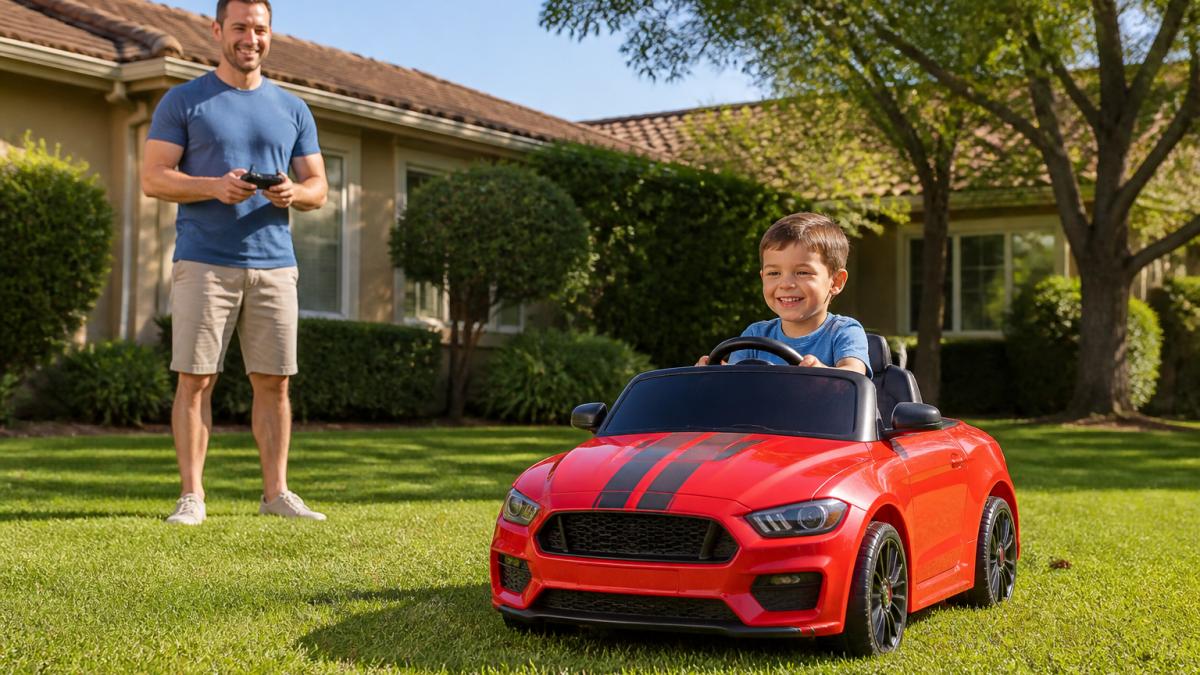
The best parental control systems operate on a 2.4GHz frequency, which means they work reliably without lag or interference from WiFi networks and other wireless devices. At VroomVroomToy, our remote systems are designed to give parents full authority when needed while encouraging children to develop real driving skills.
Most parents worry that handing over the wheel means losing control. That's the misconception. A quality parental remote doesn't remove you from the experience; it positions you as a co-driver who steps in only when necessary. You're teaching independence while maintaining safety. That's the whole point.
Ride-On Car Age and Weight Limits: Matching Control to Development
Your child's age and size determine which control features matter most. A 3-year-old needs different supervision than an 8-year-old, and the parental controls you choose should reflect that developmental gap.
Most ride-on cars designed for ages 3-8 come with weight limits between 44 and 66 pounds. The ride-on car age and weight limits vary by model, so matching your child's current size to the vehicle's specifications ensures they can reach the pedals, steer comfortably, and stay secure in the seat. A child at the upper weight limit may feel cramped, which defeats the purpose of giving them a realistic driving experience.
Here's what changes with age:
-
Ages 3-4: Your child is learning basic coordination. Parental remote control should be your primary tool. Let them hold the steering wheel and feel involved, but you steer and control speed. Emergency stop becomes essential because they may not understand consequences.
-
Ages 5-6: Kids develop better spatial awareness and can follow simple directions. You can let them steer while you manage speed with the remote. They're learning cause-and-effect: turn the wheel, the car moves that direction.
-
Ages 7-8: Most children can handle independent driving on flat, obstacle-free surfaces. Your remote becomes a safety net rather than the primary control. They should be capable of gentle acceleration, basic steering, and understanding "stop when I tell you."
VroomVroomToy's lineup includes models suited to each stage. The Ride On Electric Toy Car RR ($559.00) handles kids ages 3-8 with a 66-pound weight capacity, giving you room to grow. If your child is already 7 or 8, you're not buying a toy they'll outgrow in a season.

Remote Control Range and Response: What You Need to Know
The range and response time of your parental remote control determine how far you can let your child roam while maintaining authority. A 2.4GHz system typically offers 30-50 feet of reliable range, which covers most residential driveways and small yards.
Response time matters more than most parents realize. A remote with noticeable lag between button press and vehicle action creates a safety gap.
Interference is a real concern in neighborhoods with multiple WiFi networks, smart home devices, and other 2.4GHz signals. That reliability is why electric ride-on cars with remote control systems use this standard.
Test range before you rely on it. Walk your child's typical play area with the remote in your pocket. If you lose signal at the back corner of your yard, you now know the boundary. Most parents find 30-40 feet is plenty for supervised backyard play.
Emergency Stop and Ride-On Car Speed Limiter Features
An emergency stop button is non-negotiable. It's the feature that separates a parental control system from a toy remote.
A true emergency stop cuts power completely. The vehicle halts within a second. Most quality systems include this as a dedicated button on the remote, separate from speed controls.
Speed limiters work differently. They cap the maximum speed the vehicle can reach, either through the parental remote or built into the vehicle itself.
The best systems let you adjust speed without stopping the vehicle. Your child is cruising along at 2 MPH, and you bump them up to 3 MPH via remote without interrupting their drive.
VroomVroomToy's models include both emergency stop and multi-speed control. The Ride On Electric Toy Car JP ($559.00) offers three remote speed options plus a dedicated emergency stop button, giving you granular control over how fast your child can go at any moment.

Essential Ride-On Car Safety Features for Parental Peace of Mind
Beyond the remote control, the vehicle itself needs safety features that protect your child during independent driving. Seat belts, door locks, and suspension all matter.
A quality ride-on car safety feature setup includes a three-point or five-point harness to keep your child secure in the seat. If the vehicle tips slightly or hits a bump, the harness prevents sliding or ejection.
Suspension matters more than parents expect. A vehicle with four-wheel shock absorbers or spring suspension absorbs bumps and prevents the jolting ride that makes kids nervous.
Soft-start technology prevents the sudden acceleration jolt when your child first presses the pedal. Instead of lurching forward, the vehicle gently builds speed. This prevents panic and helps younger drivers feel confident.
You can learn how to safely supervise toddler ride-on cars with specific techniques that complement these built-in safety features. Supervision is the most important safety tool you have, the remote and harness are backups.
How Parental Controls Adapt as Your Child Grows
Your control strategy should evolve as your child develops. A 4-year-old needs you holding the remote 90% of the time.
Start with you in full control. Your child sits in the seat, holds the steering wheel, and feels like they're driving. You steer, accelerate, and brake.
After a few sessions, hand over the steering wheel. You keep speed control via remote. Your child learns that turning the wheel changes direction while you manage how fast they go.
Next, let them control speed while you manage steering. They press the pedal and feel acceleration. You guide direction. This teaches them that pedal pressure equals speed, a critical skill.
Finally, hand over full control on a safe, flat, obstacle-free surface. You stand nearby with the remote, watching for hesitation or confusion.
The transition timeline varies. Some kids are ready to steer independently within a few drives. Others need weeks. Watch your child's comfort level, not a calendar.
Troubleshooting Remote Control Issues and Compatibility
Remote control problems usually fall into three categories: no response, delayed response, or intermittent signal loss.
No response: First, check the battery in the remote. Dead batteries are the most common culprit. If the battery is fresh and the remote still doesn't work, verify the vehicle is powered on.
Delayed response: Lag usually means interference from nearby WiFi networks or other 2.4GHz devices. Move away from your home's WiFi router or smart speakers. If lag persists, check that you're within the remote's advertised range.
Intermittent signal loss: This often indicates a low battery in the vehicle itself, not the remote. A ride-on car with a weak battery may lose power to the receiver module, causing the remote to stop responding.
Compatibility issues arise when you've replaced the remote or paired it to the wrong vehicle. Each remote is usually bound to one vehicle during manufacturing.
Finding Your Child's Perfect Ride-On Car
Choosing the right vehicle means matching your child's age, size, and your parental control priorities. Learn how to choose a ride on electric toy with the right size, power, safety features, and style for your child.
| Feature | Best For | Consider |
|---|---|---|
| Hydraulic doors | Kids who love realistic details | Adds weight; may slow acceleration |
| Dual motors | Outdoor terrain, grass, gravel | Higher battery drain; more power needed |
| 2-hour runtime | Extended play sessions | Requires longer charging time |
| 3-speed remote control | Gradual skill progression | More complexity; more learning curve |
| Rocking mode | Indoor play between outdoor rides | Takes up storage space; adds cost |
VroomVroomToy offers models across this spectrum. You can view ride-on car products with parental control features to compare and purchase. The RR ($559.00) is our top pick for families wanting a balanced experience: parental remote, realistic features, and a 66-pound weight capacity that grows with your child.
All VroomVroomToy vehicles include free shipping, a 30-day return policy, and USA-based customer support, so if something goes wrong or doesn't fit your family's needs, you're not stuck.
The parental controls you choose should feel invisible when everything is working. You're not thinking about the remote; you're watching your child's face light up as they drive. That's the experience worth paying for. Get started with VroomVroomToy and give your child the confidence and adventure they deserve.
Frequently Asked Questions
How does a parental remote control work on a kids' electric car?
A parental remote control uses a wireless connection (typically 2.4GHz frequency) to communicate with the ride-on car's receiver. When activated, it allows parents to steer, accelerate, brake, or stop the vehicle independently of what the child is doing with the steering wheel and pedals. Most systems let parents toggle between child control and full parental override, giving you flexibility as your child develops driving skills. The remote typically has a range of 30-50 feet, so you can supervise from a safe distance while maintaining instant intervention capability.
What age is a ride-on car for, and how do parental controls help?
Most battery-powered ride-on cars are designed for children ages 3-10, with specific models targeting narrower age ranges. For younger riders (ages 3-5), full parental remote control is essential because they lack the coordination and judgment to handle steering and speed independently. As children reach ages 6-8, many models allow a gradual transition where parents can reduce intervention and let kids drive more autonomously. By ages 8-10, children can typically manage independent driving with parents monitoring from nearby. Parental controls make this progression safe by giving you the option to take over instantly if needed, regardless of your child's age or skill level.
Should a ride-on car have a speed limiter, and why does it matter?
Yes, a speed limiter is one of the most important safety features to look for. Most quality ride-on cars offer 2-3 adjustable speed settings that let you cap maximum velocity, typically starting at 2 mph for beginners and increasing to 4-5 mph as skills improve. Speed limiters reduce the risk of crashes, give you control over how fast your child can go, and let you match the vehicle's performance to your child's developmental stage. They're especially valuable when children are learning to steer and brake, preventing situations where a child panics and can't slow down fast enough.
What should I do if the parental remote control stops responding to the ride-on car?
First, check that both the remote and the car's battery are fully charged, low battery is the most common cause of lost connection. Verify the 2.4GHz pairing is active by turning both devices off, waiting 10 seconds, then powering them back on together. Confirm there's no physical obstruction between the remote and car, and move closer to test if range is the issue. If the car still doesn't respond, check for interference from nearby Wi-Fi routers or cordless phones, which can disrupt 2.4GHz signals. If problems persist after these steps, contact VroomVroomToy's USA-based customer support, they can walk you through re-pairing or arrange a replacement if the remote is faulty.
Choosing the right parental controls means balancing safety with independence. Your child deserves a vehicle that grows with them, and you deserve the peace of mind that comes with reliable remote control, responsive emergency stops, and features built for real driving practice. VroomVroomToy's 2.4GHz parental remote systems, multi-speed control options, and safety-first designs make it simple to supervise confidently while your child learns to drive.


